

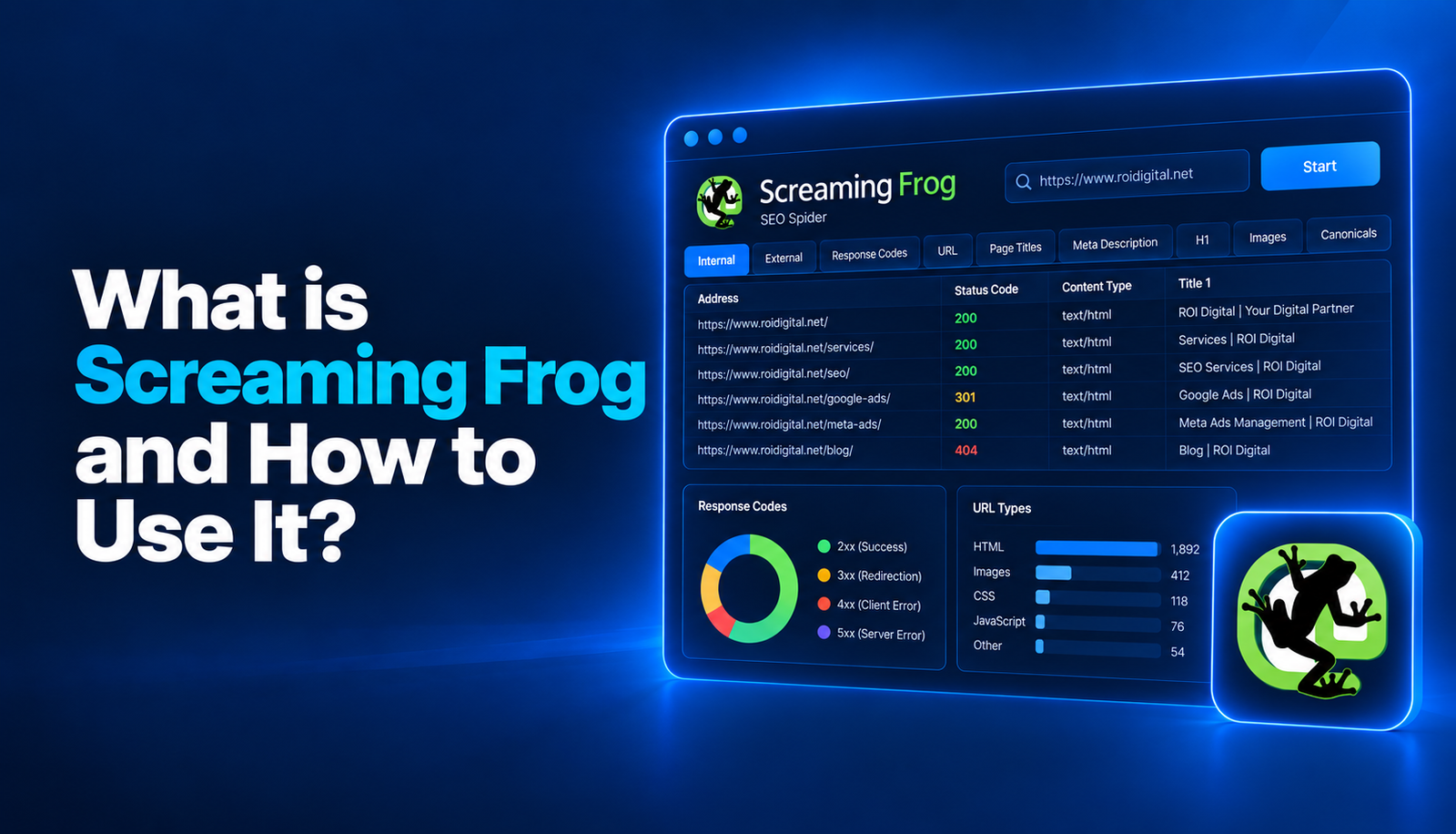

Screaming Frog is an SEO tool that helps analyze technical SEO issues, site architecture, and page-level data by crawling websites. It is especially useful for medium-sized and large websites where manually reviewing hundreds or thousands of URLs would be difficult.
The tool follows links across a website in a similar way to a search engine crawler and collects a wide range of technical data, including status codes, page titles, meta descriptions, canonical tags, indexability status, images, and internal linking structure.
For this reason, Screaming Frog is not only used to identify errors. It can also help you understand how a website is seen and crawled by search engines.
What Is Screaming Frog and What Data Does It Show?
Screaming Frog SEO Spider is a desktop-based SEO tool designed to crawl websites. Once a website has been crawled, a large amount of technical data can be viewed from a single interface.
The main types of data it provides include:
- HTTP status codes
- 3xx redirects
- 4xx and 5xx errors
- Title tags
- Meta descriptions
- H1 and H2 headings
- Canonical URL information
- Index and noindex status
- URLs blocked by robots.txt
- Internal and external link structures
- Image files
- Image alt text
- Page sizes
- Response time data
- URL depth
- Structured data
- Hreflang tags
This data makes it easier to carry out technical SEO audits in a more systematic way.
However, not every item shown in a report necessarily indicates an error. For example, a 301 redirect is not always a problem. What matters is understanding why the data appears and correctly evaluating its impact on users and search engines.
How to Crawl a Website with Screaming Frog
A basic website crawl can be started quite easily.
- Open the Screaming Frog SEO Spider application.
- Enter the main website URL into the URL field at the top.
- Make sure the crawl mode is set to Spider.
- Click the Start button to begin crawling.
- Once the crawl is complete, review the data using the tabs at the top and the Overview panel.
For smaller websites, the default settings are often sufficient. For larger or technically complex websites, however, crawl scope and rendering settings should be reviewed before starting the crawl.
Choose the Crawl Mode
Screaming Frog offers different crawl modes.
The most commonly used mode is Spider mode. In this mode, the tool starts from the main URL, follows internal links across the website, and discovers new URLs.
List mode can be used when you want to check a specific list of URLs. For example, if you only want to review old URLs, a product list, or migrated pages, uploading a URL list can be much faster than crawling the entire website.
The crawl mode should be selected according to your objective.
Spider mode is generally more suitable for evaluating the entire site architecture, while List mode is more appropriate for reviewing a specific group of pages.
Review the Crawl Scope
Before starting a crawl, you should determine which URLs will be included in the crawl scope.
Subdomains, specific folders, or parameterized URLs can unnecessarily increase the size of crawl reports.
This is particularly common on large e-commerce websites, where filtering and sorting parameters can generate thousands of unnecessary URLs.
Before crawling, consider checking the following:
- Should subdomains be crawled?
- Should URL parameters be included?
- Should certain folders be excluded?
- Should external links be crawled?
- Should robots.txt rules be followed?
Defining the crawl scope correctly can reduce analysis time and make the resulting report easier to interpret.
Check the JavaScript Rendering Settings
On some websites, a significant portion of the content is generated with JavaScript.
On these websites, a standard HTML crawl may fail to discover all links or page content.
When the rendering setting in Screaming Frog is changed to JavaScript, pages are processed in a way that is closer to how a browser renders them.
For websites using modern JavaScript frameworks, the following areas should be reviewed carefully:
- Navigation links
- Product listings
- Lazy-loaded content
- Canonical tags generated with JavaScript
- Internal links inserted with JavaScript
JavaScript rendering can make crawls slower and more resource-intensive, so it should generally be used only when necessary.
In What Order Should You Review a Screaming Frog Crawl Report?
When a Screaming Frog crawl is completed, a large amount of data becomes available at the same time. Reviewing the report in a structured order can make the analysis more efficient.
It is generally best to begin with crawlability and accessibility issues. After that, indexing signals, site architecture, content-related tags, and images can be reviewed.
This approach helps critical technical problems stand out more quickly.
Status Codes and Broken Links
One of the first areas to review is the Response Codes tab.
This section displays HTTP status codes such as 200, 301, 302, 404, and 500.
You should pay particular attention to:
- Internal links returning 404 errors
- 5xx server errors
- Unnecessary redirect chains
- Permanent redirects implemented as 302 redirects
- Redirect loops
Broken internal links can negatively affect both user experience and crawl efficiency.
For this reason, it is important not only to identify the URL returning an error, but also to determine which pages are linking to that URL.
Indexing Signals
The next step is to check which pages are indexable.
Screaming Frog allows noindex directives, canonical tags, and robots-related data to be reviewed together.
Important issues include:
- Incorrect noindex tags on important pages
- Canonical tags pointing to a different page
- Important URLs blocked by robots.txt
- Inconsistencies between canonical and indexability status
- The same content being accessible through multiple URLs
These factors can directly influence which pages search engines choose to index.
Site Architecture and Internal Links
After technical errors have been reviewed, the site architecture should be evaluated.
Screaming Frog can show how many internal links each URL receives, which pages those links come from, and the crawl depth of each page.
Important category and service pages that sit too deep within the site architecture may be harder for both users and search engines to reach.
The following areas are worth reviewing:
- Important pages receiving very few internal links
- Orphan URLs with no internal links
- Pages located unnecessarily deep within the site
- Product pages that are too far removed from main categories
- Excessive use of sitewide links
The purpose of internal linking is not only to connect pages. It should also help establish the topic hierarchy and relative importance of different pages across the website.
Title Tags, Meta Descriptions, and Headings
Screaming Frog makes it easy to analyze title tags, meta descriptions, H1 headings, and H2 headings in bulk.
Potential issues include:
- Missing title tags
- Duplicate title tags
- Titles that are excessively long or too short
- Missing meta descriptions
- Duplicate meta descriptions
- Pages without an H1
- Multiple H1 headings
- The same H1 structure repeated across many pages
However, not every issue highlighted by the tool is automatically an SEO problem.
For example, using more than one H1 can technically be valid in certain page structures. The final assessment should always be based on the actual content and layout of the page.
Images
The Images tab can be particularly useful for e-commerce websites.
It allows you to review image dimensions, file sizes, and alt text information.
Images with large file sizes can negatively affect page speed.
Missing alt text can also lead to missed opportunities for accessibility and image SEO, especially when the image is important to the page content.
Key areas to review include:
- Images with large file sizes
- Images without alt text
- Excessively long alt text
- Broken image URLs
- Unnecessary duplication of the same image
How Can Crawl Data Be Combined with Traffic and Performance Metrics?
Screaming Frog data shows the technical structure of a website, but traffic and performance data is often needed to understand which problems have the greatest business impact.
For example, imagine that you find two URLs returning a 404 error.
One URL may have never generated any traffic. The other may be an old category page that previously received thousands of organic visits per month and has many backlinks.
Technically, both URLs return a 404 status code, but their priorities are clearly not the same.
Screaming Frog can be integrated with tools such as Google Analytics and Google Search Console to combine different types of data at the URL level.
This makes it possible to identify:
- High-traffic pages with technical issues
- URLs with high impressions but incorrect canonical tags
- 404 pages that still receive organic traffic
- High-performing pages with weak internal linking
- URL groups that are frequently crawled but generate little organic value
This approach helps prioritize technical SEO work based not only on the number of errors, but also on their actual business impact.
Example of Using Screaming Frog on an E-Commerce Website
E-commerce websites are among the projects where Screaming Frog can provide the most value.
Manually reviewing a store with thousands of products and categories can be extremely difficult.
For example, imagine crawling a large Shopify store.
The crawl may reveal issues such as:
- Internal links pointing to discontinued products
- Old product pages returning 404 errors
- Collection pages accessible through multiple URLs
- Missing canonical tags
- Product variants using the same title
- Unnecessary URLs created by filters
- Product images with large file sizes
- Product images without alt text
- Product pages located too far from main categories
Once this data has been collected, it is usually better to prioritize issues based on their impact on sales and SEO rather than trying to fix everything at once.
For example, a canonical issue on a high-traffic category page may be more important than a missing meta description on an old product page that receives no traffic.
Screaming Frog can also be especially useful for site migrations and URL change projects.
Old and new URL lists can be compared to check whether redirects are working correctly.
How Should You Prioritize Issues in a Screaming Frog Report?
A Screaming Frog report may contain hundreds or even thousands of potential issues.
They should not all be treated with the same level of priority.
Issues that directly affect crawling, indexing, or access to important pages should generally be addressed first.
A general priority order might look like this:
- Errors that make the website or important pages inaccessible
- Incorrect noindex directives and robots.txt issues
- Incorrect canonical configurations
- 5xx errors and critical 4xx issues
- Broken internal links and redirect chains
- Site architecture and internal linking issues
- Title, H1, and meta-related issues
- Image optimization issues
However, this order should not be applied identically to every website.
When deciding how important a problem is, you should also consider the URL’s organic traffic, commercial value, backlink profile, and role within the website.
For example, a technical issue on an important category page that generates conversions may be more significant than hundreds of low-value metadata issues.
The key to using Screaming Frog effectively is not to find as many errors as possible. The real objective is to identify and resolve the issues that genuinely affect crawling, indexing, and organic performance, and to address them in the right order.